S02
Android emulator baselineValidated
A Google Play emulator image reports clean, with only the emulator signal.
How to read this page
A scenario is one test case: prepare the environment, run the steps, then compare the expected result (written before the run) with the observed result (copied from the run, with screenshots).
- S02 · S
- Run on a simulator or emulator — a virtual device on a computer.
- Validated
- Run, and the result matched what was expected.
Why it matters
Emulator detection needs a strong indicator (goldfish/ranchu hardware, qemu files or a generic fingerprint), so real phones are not flagged.
Environment
- App
- Example app (Expo SDK 57, React Native 0.86)
- Device
- Pixel 9 Pro emulator (sdk_gphone16k_arm64), API 37
- Build
- Debug, installed with adb
- Library
- 0.2.0
Setup
Prepare the environment.Then run the steps.
- 01Install the example app on the emulator.
- 02Leave all options at their defaults.
Steps
What to run.What to read.
- 01Open the app.
- 02Read the status badge and the signal list.
Expected result · written before the run
Status: clean1 signal.
Observed result · copied from the run
Status: cleanObserved 2026-09-30.
Re-confirmed on library 0.3.0 (2026-10-06), which adds bootloader_unlocked: the Pixel_9_Pro emulator (Google Play image, Android 17, sdk_gphone16k_arm64) running the example app's release build from the v0.3.0 tag reported clean with only emulator, on four cold starts. This image reports no verified boot state at all (ro.boot.verifiedbootstate, flash.locked and vbmeta.device_state are empty), so bootloader_unlocked cannot fire on it. Run times varied from 20 ms to 3 s because the emulator was running on software graphics (SwiftShader).
Status: clean · Duration: 250 ms · Ignored: 0 · [emulator] emulator: Device appears to be an emulator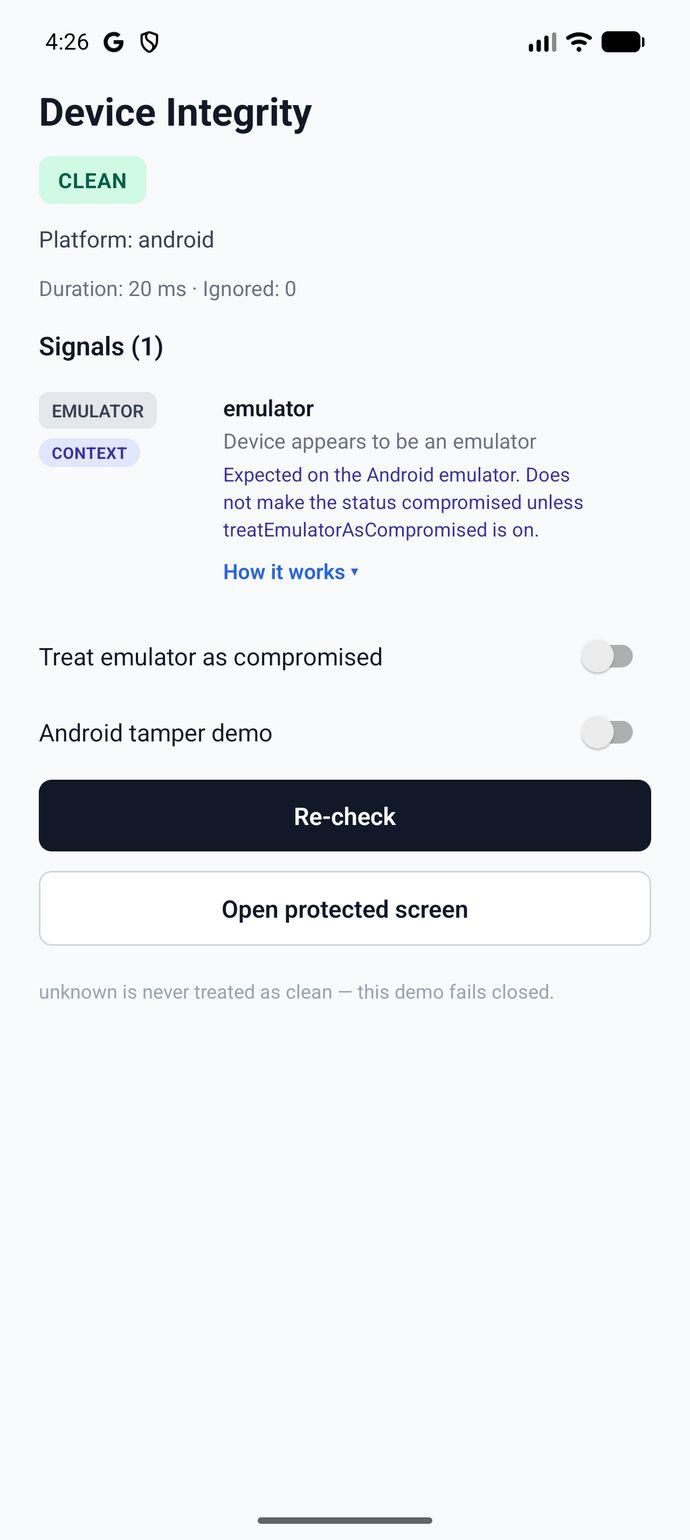
Checks this scenario covers
Every check this test case touches — including ones that aren't expected to fire here. The expected and observed results above say which ones should and did. Each links to how the check works.